
Download Freepik – Free Graphic Resources, Vectors, Photos & Templates
Overview
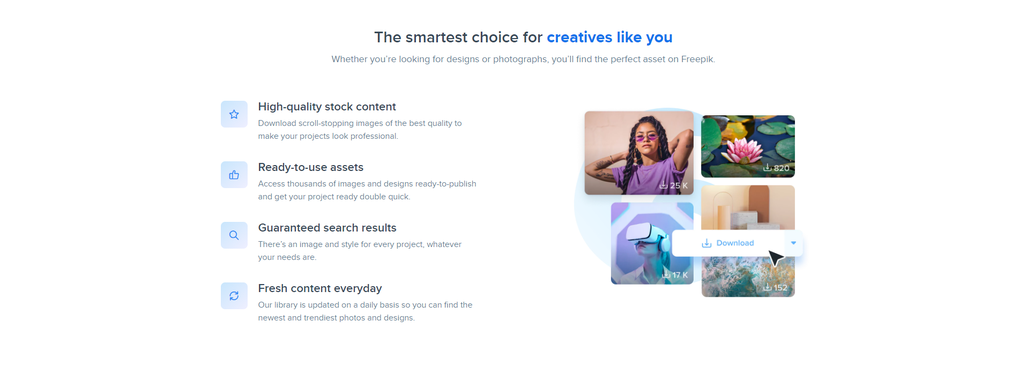
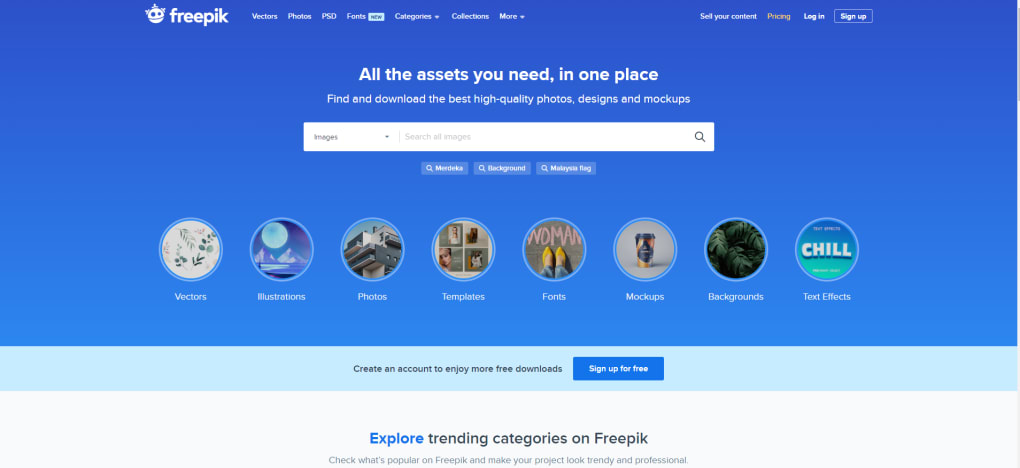
Freepik stands out as a cost‑free graphics source that has quickly become a favorite among designers, marketers, and content creators. The platform aggregates a fast‑growing collection of high‑quality photos, vectors, illustrations, mockups, fonts, and more, all organized in a user‑friendly library that makes discovery effortless. While a substantial portion of the assets are available for free download, Freepik also offers a premium subscription that unlocks unlimited access to its entire catalogue, an ad‑free experience, and exclusive tools such as the built‑in icon editor.
Signing up is completely free; you can create an account using a simple email form or connect via Google or Facebook for instant access. Once logged in, users can filter assets by style, color, or format, allowing them to locate the perfect element for any project in seconds. The platform’s licensing model is straightforward: free assets require attribution, whereas premium assets can be used commercially without crediting the author.
This flexibility makes Freepik suitable for both hobbyists who need occasional visuals and professional agencies that require a steady stream of fresh design material. Even though the free tier already offers thousands of resources, the premium plan expands the library to millions of vectors and stock photos, provides unlimited downloads, and includes the Flaticon library for icons, logos, and stickers. The only notable limitation is a relatively small collection of PSD files, which nudges power users toward Adobe Illustrator for advanced editing.
Overall, Freepik delivers a robust, secure, and constantly updated design toolbox that can boost creativity without breaking the budget.
Key Features
- Extensive library of free vectors, photos, illustrations, and mockups.
- Premium subscription removes download limits and ad interruptions.
- Built‑in Icon Editor for on‑the‑fly customization of Flaticon assets.
- Two‑tier licensing: free (requires attribution) and premium (no attribution needed).
- Search filters by style, color, orientation, and file format.
- Integration with Google Drive and Dropbox for seamless asset storage.
- Responsive web app compatible with Windows, macOS, Android, and iOS.
- Regularly updated collections with seasonal and trend‑focused packs.
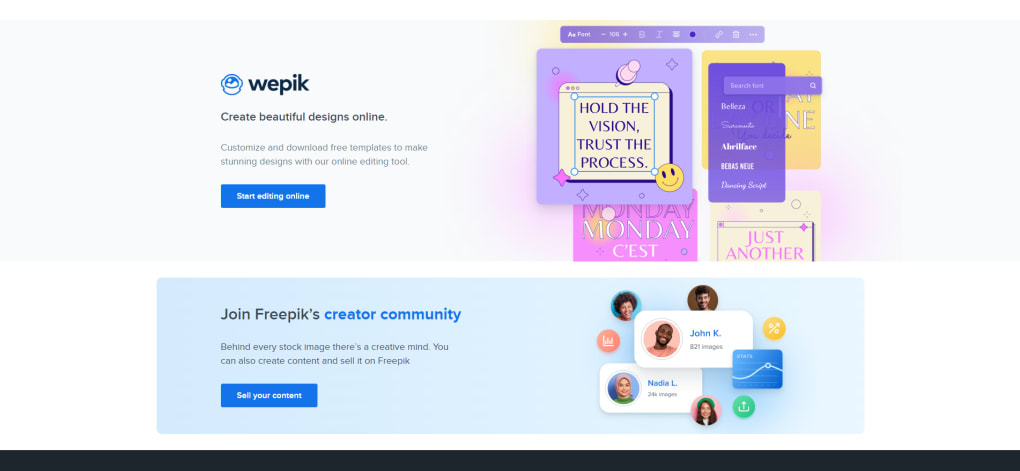
- Community‑driven collections that allow designers to share their own assets.
- Free access to Flaticon icons, logos, and stickers with a single account.
Installation & Usage Instructions
Step‑by‑Step Setup
Getting started with Freepik requires no software download, as the service operates entirely through a web browser. Follow these steps to begin using the platform effectively:
- Create a free account: Visit Freepik.com and click “Sign Up.” You can register with an email address or connect instantly using Google or Facebook. The process takes less than a minute.
- Verify your email: An activation link will be sent to your inbox. Click the link to confirm your account and unlock full search capabilities.
- Explore the library: Use the top navigation bar to browse categories such as “Vectors,” “Photos,” “Mockups,” “Icons,” and “Templates.” The advanced filter panel on the left lets you refine results by color, orientation, file type, and license.
- Download assets: Click the “Free Download” button for any free asset. For premium assets, the button will read “Download” after you subscribe. Files are delivered as ZIP archives containing the original formats (AI, EPS, PNG, SVG, JPG, etc.).
- Customize with the Icon Editor: When you select an icon from Flaticon, an “Edit” option appears. Use the on‑screen tools to change colors, add text, or combine multiple icons into a single SVG file. Save the edited version directly to your device.
- Manage your downloads: All your recent downloads appear in the “My Files” section, where you can organize them into folders, rename files, or re‑download if needed.
- Upgrade to Premium (optional): If you require unlimited downloads or want an ad‑free interface, click the “Upgrade” button in the upper right corner. Choose between a 1‑month or 12‑month plan, complete the secure checkout, and enjoy instant access to the premium library.
Because Freepik is cloud‑based, there’s no need for installation on Windows, macOS, Android, or iOS devices. Simply open a supported browser, log in, and start designing. The platform also offers mobile‑optimized layouts, ensuring a smooth experience on smartphones and tablets.
Compatibility, Pros & Cons
Freepik is a web‑based application, making it compatible with any modern operating system that supports a contemporary browser (Chrome, Firefox, Safari, Edge). Whether you work on Windows 10/11, macOS Ventura, Linux, Android 9+, or iOS 14+, the platform adapts to your screen size and offers full functionality without the need for additional plugins.
Pros
- Huge collection of free assets with high visual quality.
- Premium plan removes ads and provides unlimited downloads.
- Integrated icon editor saves time on minor customizations.
- Clear licensing options simplify commercial usage.
- Responsive design works across desktops, tablets, and smartphones.
- Regular updates keep the library fresh and trend‑relevant.
- Free access to Flaticon expands the icon selection dramatically.
Cons
- Limited selection of PSD files, which may inconvenience Photoshop users.
- Free assets require attribution, which can be restrictive for some commercial projects.
- Search results can sometimes include low‑resolution previews that need verification.
- Premium subscription cost may be a barrier for freelancers on a tight budget.
- Occasional UI changes can cause a brief learning curve for returning users.
Frequently Asked Questions
Is Freepik really free?
Yes, Freepik offers thousands of graphics, photos, and vectors that can be downloaded at no cost. Free assets require attribution, while premium assets are available without credit when you subscribe.
Do I need to install any software to use Freepik?
No. Freepik is a cloud‑based platform that runs entirely in a web browser. It works on Windows, macOS, Linux, Android, and iOS without any additional installation.
What file formats are available for download?
Freepik provides assets in AI, EPS, SVG, PNG, JPG, and PDF formats. Premium users also gain access to higher‑resolution versions and additional formats like CDR and PSD (though PSD options are limited).
Can I use Freepik assets for commercial projects?
Yes. Premium assets can be used commercially without attribution. Free assets can also be used commercially, but you must credit the original author as stated in the license.
How does the premium subscription work?
Freepik offers a 1‑month or 12‑month premium plan. Subscribing removes ads, unlocks unlimited downloads, provides access to the full Flaticon library, and grants commercial usage without attribution. Payments are processed securely online.
Conclusion & Call to Action
In the crowded world of design resources, Freepik manages to combine breadth, quality, and ease of use into a single, free‑first platform. Whether you’re a student crafting a class project, a freelancer seeking fresh visuals for a client, or a large agency that needs a reliable, constantly refreshed asset library, Freepik delivers the essentials without compromising on style. The free tier already offers enough high‑resolution graphics to keep most small‑scale projects moving forward, while the premium subscription adds the peace of mind of unlimited downloads, an ad‑free workspace, and unrestricted commercial rights.
The only area that could use improvement is the depth of PSD files, but for the vast majority of designers who work primarily in vector‑based programs, this is a minor drawback. If you’re ready to expand your creative toolbox, simply visit Freepik.com, sign up for a free account, and start downloading today. For power users, consider the 12‑month premium plan to unlock the full potential of millions of assets and enjoy a truly seamless design workflow.
Freepik provides an impressive balance of free and premium resources, making it an invaluable asset for designers of all levels. The only real downside is the limited PSD library, but the extensive vector and icon collections more than compensate. Overall, a solid 4.5‑star rating.



.png)



